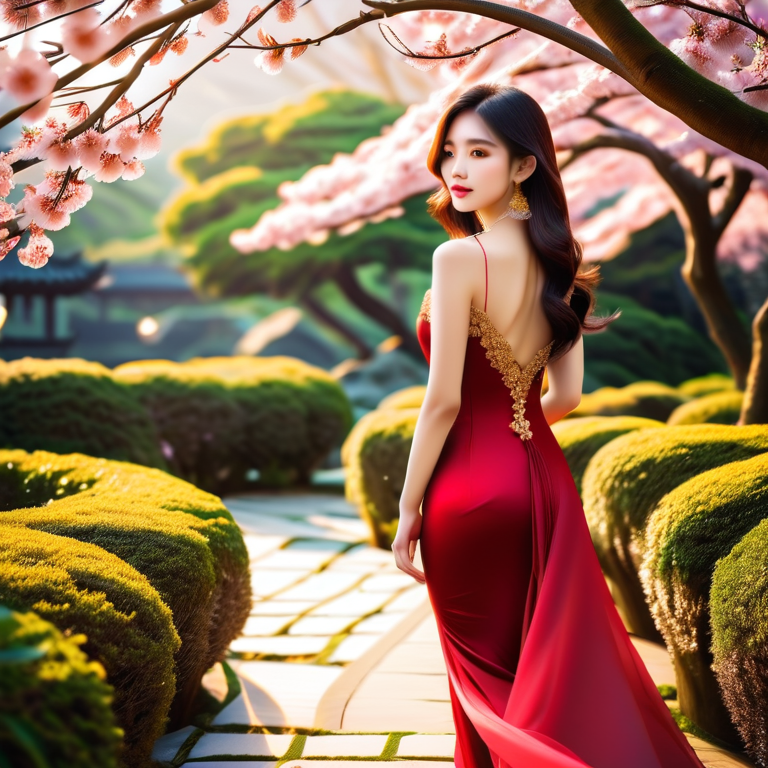
Thai dress in Sakura Garden
🌸 Creating "Thai Dress in Sakura Garden" with Advanced ComfyUI Techniques
Welcome to a detailed breakdown of our latest AI masterpiece, "Thai Dress in Sakura Garden." This image is a celebration of cultural elegance, showcasing a beautifully rendered Thai ensemble set against the delicate springtime backdrop of a Japanese Sakura (Cherry Blossom) garden.
Generating such detailed and culturally specific images requires more than just a simple text prompt—it requires the precise, node-based control offered by ComfyUI.
⚙️ ComfyUI Workflow & Technical Parameters
To achieve this level of detail and thematic blending, a specific set of parameters must be used. This information is crucial for any reader aiming to reproduce or learn from this style.
| Parameter | Recommended Value (English) | Notes / Value Proposition |
| Model Used | Custom SDXL Checkpoint (e.g., ChilloutMix, Realistic Vision, or a specific Asian-themed model) | A realistic model is key for achieving the intricate details of the dress and face. |
| Sampler/Scheduler | DPM++ 2M SDE Karras | Excellent sampler for photorealistic results and complex lighting. |
| Steps | 30 | A good balance between speed and quality for complex scenes. |
| CFG Scale | 7.5 | High setting to ensure the model strictly follows the cultural and setting cues in the prompt. |
| Resolution | 896x1152 or 768x1024 (Portrait) | The portrait orientation helps emphasize the subject and the flowing dress. |
| LORA/ControlNet | LORA for Thai Dress/Jewelry (Optional but highly recommended) | If used, mentioning a LORA/ControlNet for the specific pose or dress type is great technical content. |
| Post-Processing | High-Res Fix or SDXL Refiner | Used to clean up details on the face, jewelry, and fabric textures. |
📝 Prompt & Negative Prompt Used
Achieving cultural accuracy (Thai dress) within a specific environment (Sakura Garden) requires a highly structured prompt.
Recommended Prompt Structure (The Positive Prompt)
Focus on the subject, the attire, the setting, and the quality.
**SUBJECT:** A beautiful young Thai woman, standing gracefully, wearing an ornate, traditional Thai silk dress and elaborate golden jewelry (necklace and earrings). **SETTING/ATMOSPHERE:** In the background, a serene Japanese Sakura Garden, full bloom, gentle lighting, shallow depth of field, soft sunlight filtering through the blossoms, natural stone pathway. **STYLE/QUALITY:** Ultra-realistic photography, high-detail texture, cinematic quality, soft volumetric lighting, intricate details, 8k, photorealistic, elegant, focused.
Recommended Negative Prompt (The Negative Prompt)
Use a standard, strong negative prompt to ensure image integrity.
bad anatomy, disfigured, blurry background, watermark, text, signature, ugly, tiling, cropped, poorly drawn hands, out of frame, extra limbs, extra fingers, low quality, duplicate, worst quality.
🎨 Analysis: Achieving Cultural Fusion
The success of "Thai Dress in Sakura Garden" lies in the effective communication of two distinct cultural elements within a single, cohesive image.
The Prompt ensures the cultural authenticity of the dress and jewelry.
The Negative Prompt keeps the focus sharp and eliminates common AI artifacts.
The ComfyUI Workflow (especially if LORA or specific ControlNet pose guides were used) allows us to maintain the elegance and posture required for such a sophisticated portrait.
Call to Action: What other cultural fusions would you like to see us generate? Share your ideas in the comments!